
REMOTE RAID GUIDE
How to find and join Pokémon GO remote raids
Remote raiding is easiest when the group is already organized before the in-game invitation arrives. Remote Raid is built around that coordination problem: helping players find a host, helping hosts find players, and keeping everyone focused on the next step.
THE BASIC FLOW
Remote raid matchmaking connects a host with players
A host is physically close enough to start an eligible raid in Pokémon GO. Remote players need a way to find that host at the right time. Matchmaking removes the need to manually build a group in scattered chats or hope that enough people happen to be available at once.
If you want to join
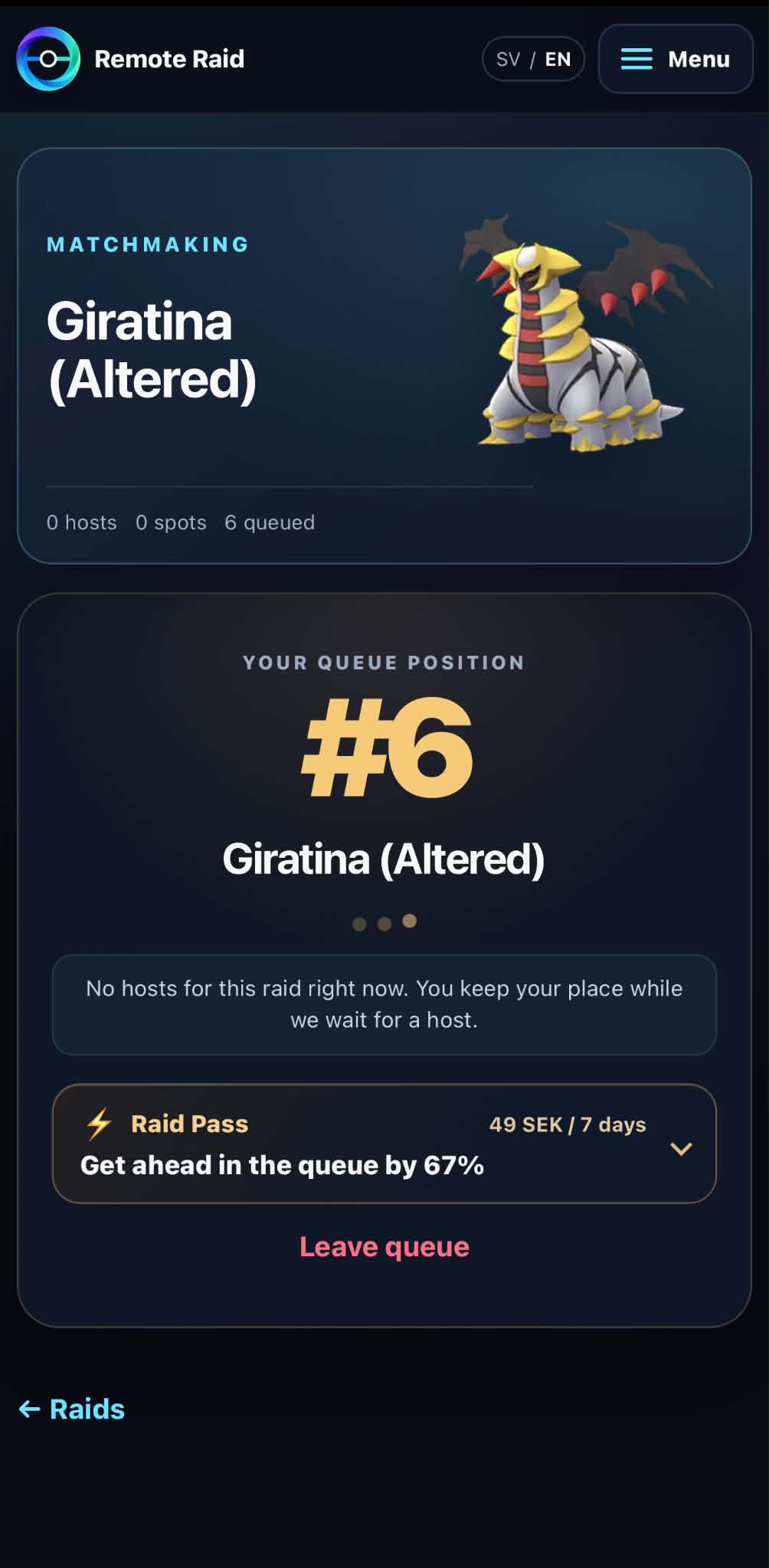
Choose the raid you want to play and enter the player queue. Remote Raid matches you with a host and shows the lobby status so you know when the group is ready for the next action.
If you want to host
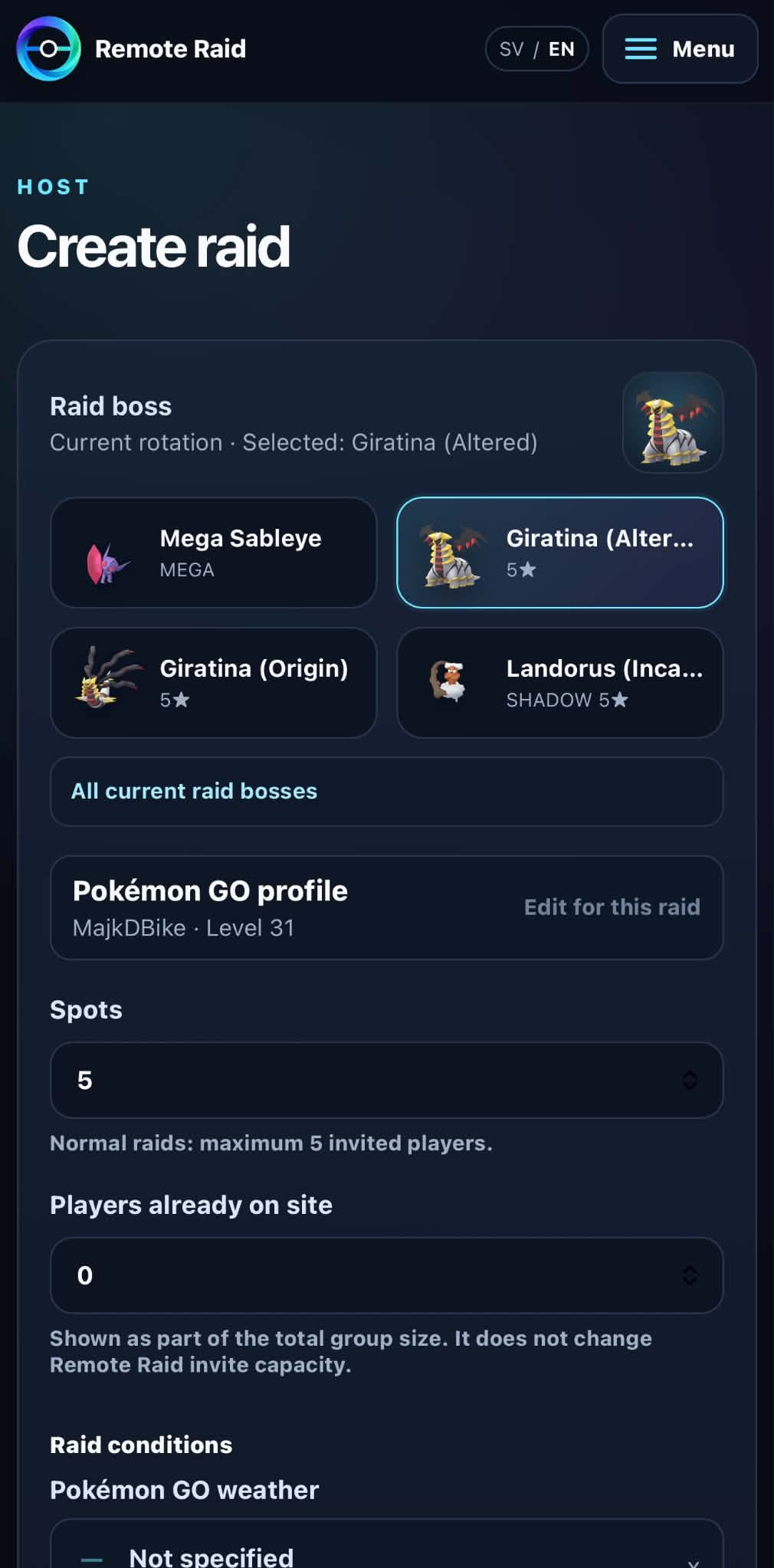
Choose the raid you can host and open a lobby. Remote Raid brings matched players into that lobby while you remain responsible for the actual friendship and raid invitation inside Pokémon GO.
What waiting in matchmaking looks like
The queue reports your current position and whether a host is available. A position is not a guaranteed wait time. Keep the app available and follow the assigned lobby instructions when a place becomes available.
BEFORE THE INVITE
What players should be ready to do
- Pick a raid you actually want to join and stay available while matchmaking is active.
- Follow the lobby instructions when Remote Raid assigns you to a host.
- Complete any required friend step in Pokémon GO when the lobby asks for it.
- Watch for the raid invitation in Pokémon GO and join with the appropriate in-game requirements for that raid.
Current Pokémon GO pass rules, remote eligibility, and participation limits can change. Remote Raid therefore avoids hard-coding those changing game rules into the matchmaking guide.
Check current Pokémon GO raid help ↗HOST SETUP
Choose the raid you can host
Select the raid boss and review the available remote spots before opening your lobby. Normal raid and Dynamax capacity rules differ; follow the explanation shown for your selected raid.
WHY COORDINATION MATTERS
A good remote raid app should reduce uncertainty
Know when you have a place
Remote Raid can notify players when they are assigned instead of making them repeatedly refresh a chat or queue.
Know when the host is ready
Lobby status and notifications help the group move from matchmaking to friendship and invitation at the same moment.
Know what is coming this week
The public This Week guide collects Raid Hour, raid rotations, Max Battles, and major event windows in one place.
Know the boss typing
Remote Raid shows boss weaknesses and resistances so players can understand which attack types are strong or resisted before the battle.
FREE TO START
Remote Raid has a Free tier
You can start using Remote Raid matchmaking without buying a paid membership. Optional paid features are separate from the basic idea: helping hosts and players find each other for raids.